How to stake Conflux Network (CFX) with stakefish

Introduction
Conflux Network (CFX) is an open protocol for a new world of DApps, finance, and Web 3.0. It utilizes a hybrid consensus of Proof of Work and Proof of Stake, ensuring high security, throughput, and decentralization. To learn more about Conflux PoS and staking, you can refer to their documentation.
stakefish is a leading staking service provider in the blockchain industry, dedicated to offering secure, stable, and efficient staking solutions.
The Conflux network is organized into two spaces:
- Core Space — Conflux’s native environment, using CFX for gas, staking, and governance.
- eSpace — an EVM-compatible execution environment built on top of Core Space, allowing Ethereum-style dApps to deploy with minimal changes.
stakefish supports both Core Space staking and eSpace staking.
Here’s a detailed guide on how to stake Conflux with stakefish.
Core Space staking guide
Prepare your wallet
stakefish currently only supports staking operations using the Fluent wallet browser extension. Fluent is a browser extension wallet for Chrome and Firefox. Using Chrome as an example:
- Install wallet.
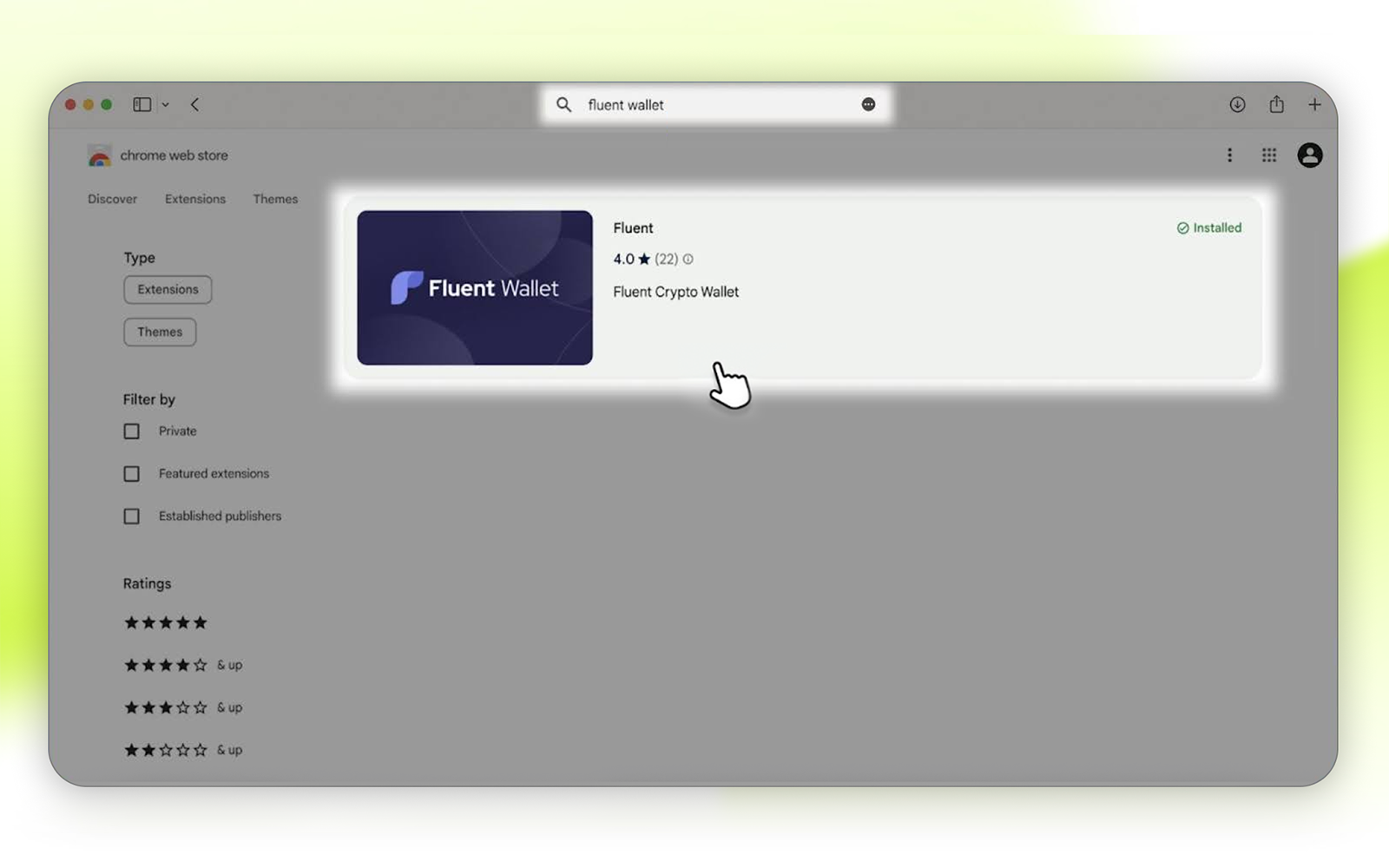
Search for “Fluent Wallet” in the Chrome Web Store or click this link to jump to the corresponding page, click the program, and Add to Chrome.
- Create your CFX wallet.
Be sure to save your private keys, as you can restore your wallet by re-adding the extension and using your keys if you accidentally delete it later.
Stake CFX
- Visit stakefish Conflux staking page, and click CORE STAKING.
- Click Connect wallet. Then choose your wallet and sign the connection message.
- Enter the amount of CFX you want to stake. One PoS vote is 1000 CFX, meaning users can only stake multiples of 1000.
💡 Tip: Please do not stake all your funds. You need to maintain a free balance in your wallet to cover network gas fees.
- Click Stake and confirm the transaction in the wallet.
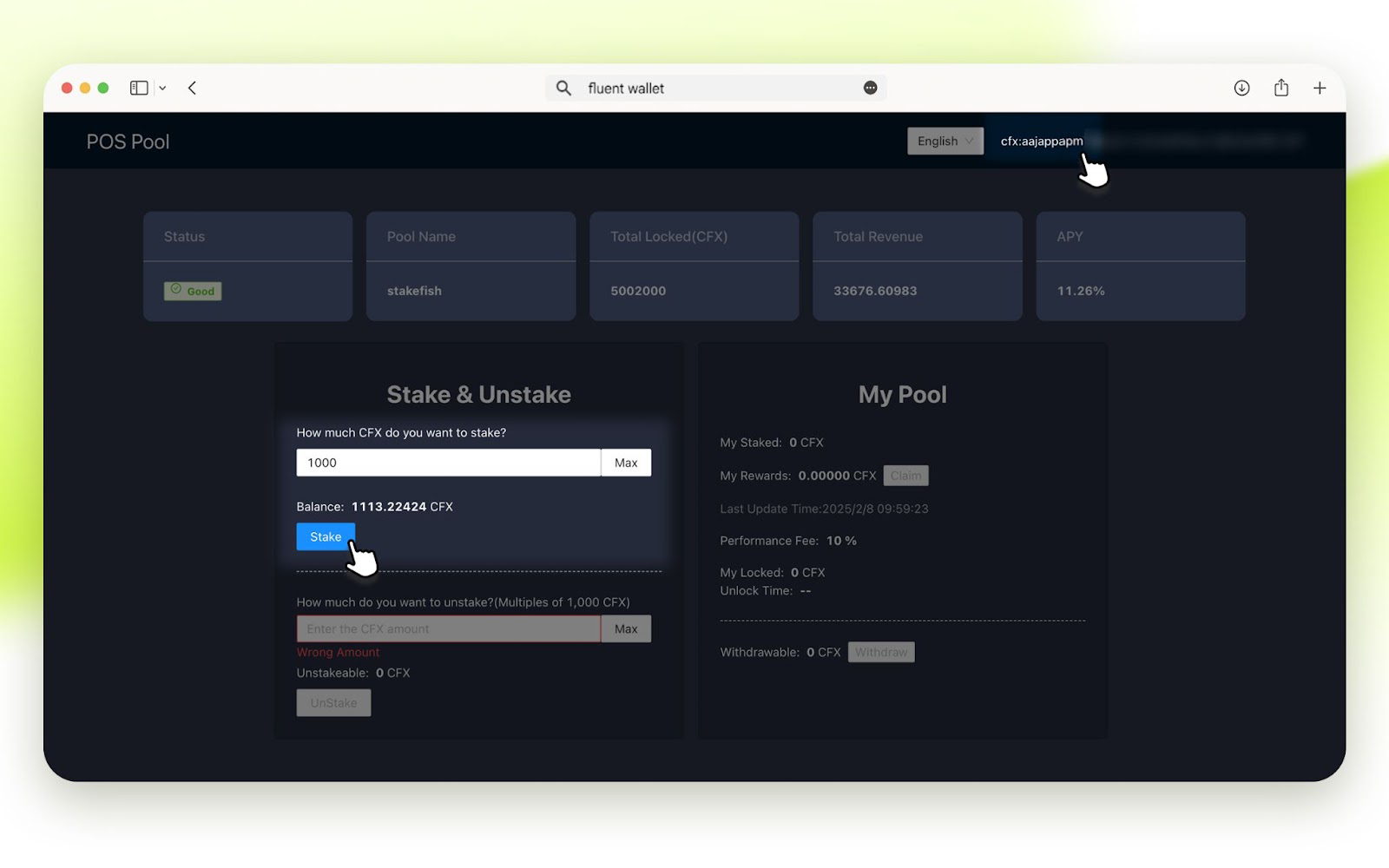
It takes about 5 minutes for the CFX staking activation process to complete. After submitting the transaction, you will be able to see the staked amount shortly.
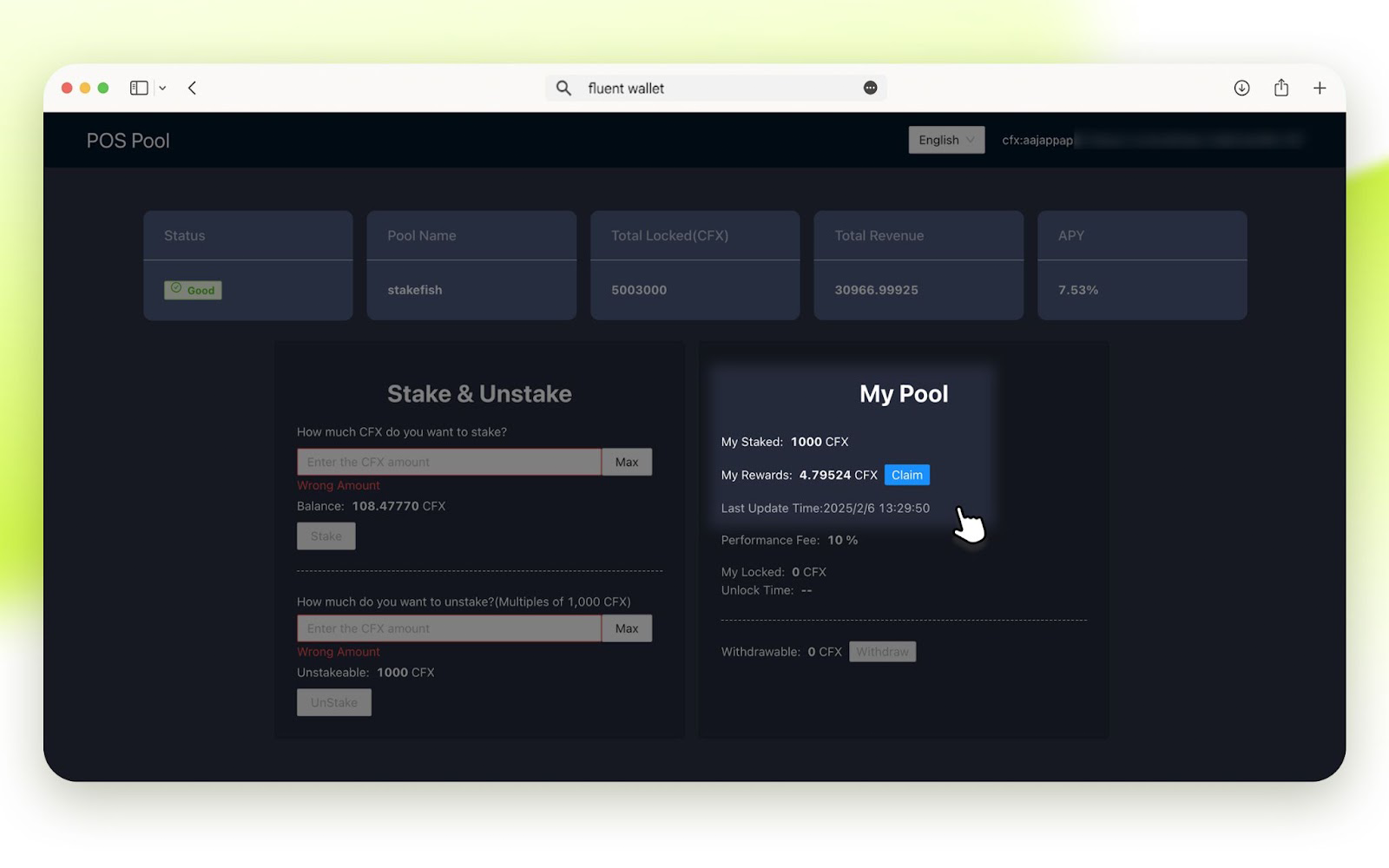
The PoS pool reward is paid hourly.
Unstaking
- Visit stakefish Conflux staking page, and click CORE STAKING.
- Click Connect wallet. Choose your wallet and sign the connection message.
- Enter the amount (multiples of 1000) of CFX you want to unstake.
- Click UnStake and confirm the transaction in the wallet.
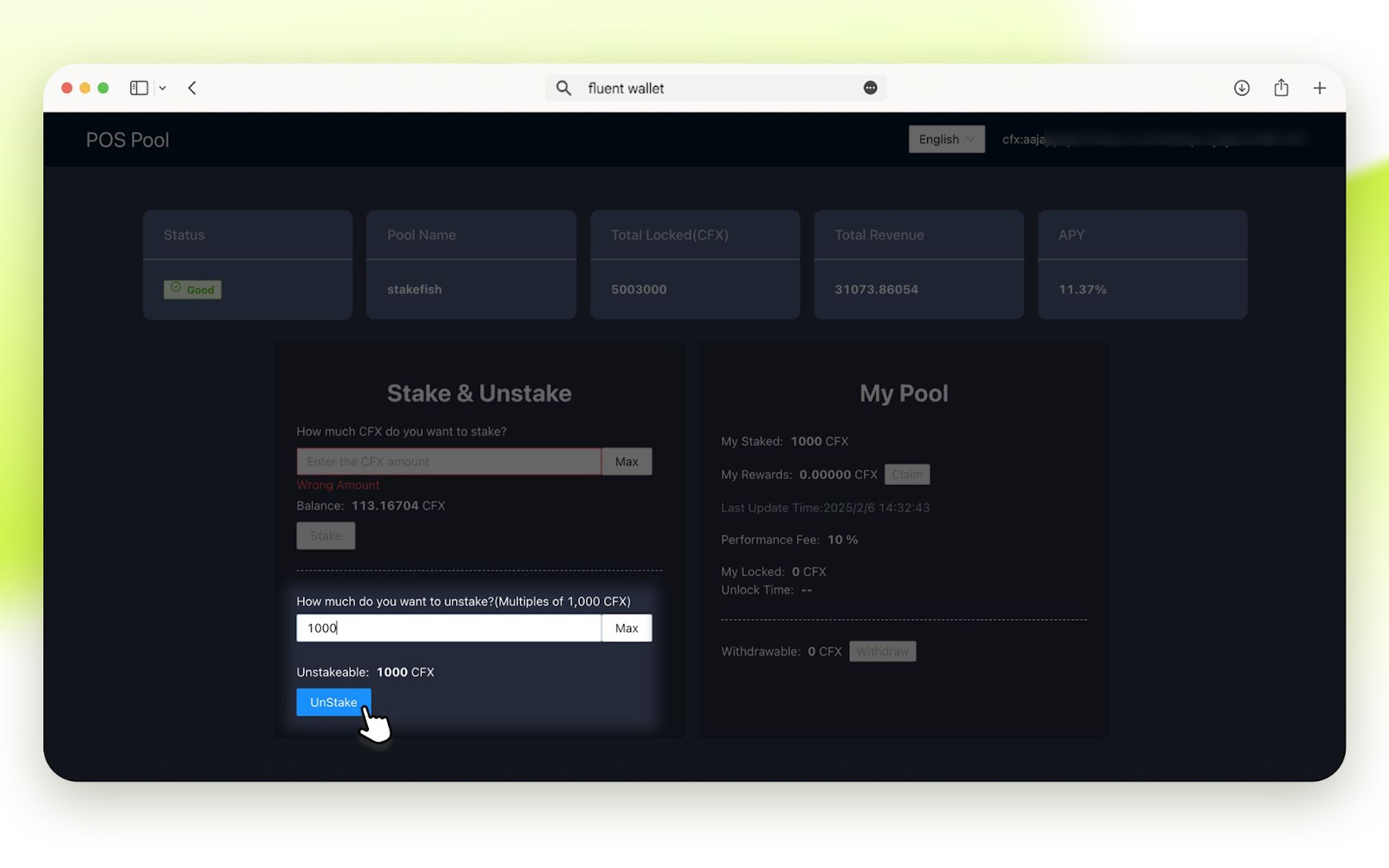
Unstaking takes 1-14 days, depending on the staking duration. If your PoS votes have been staked for over 13 days, unstaking will take only one day. If recently staked, it will require the full 14 days.
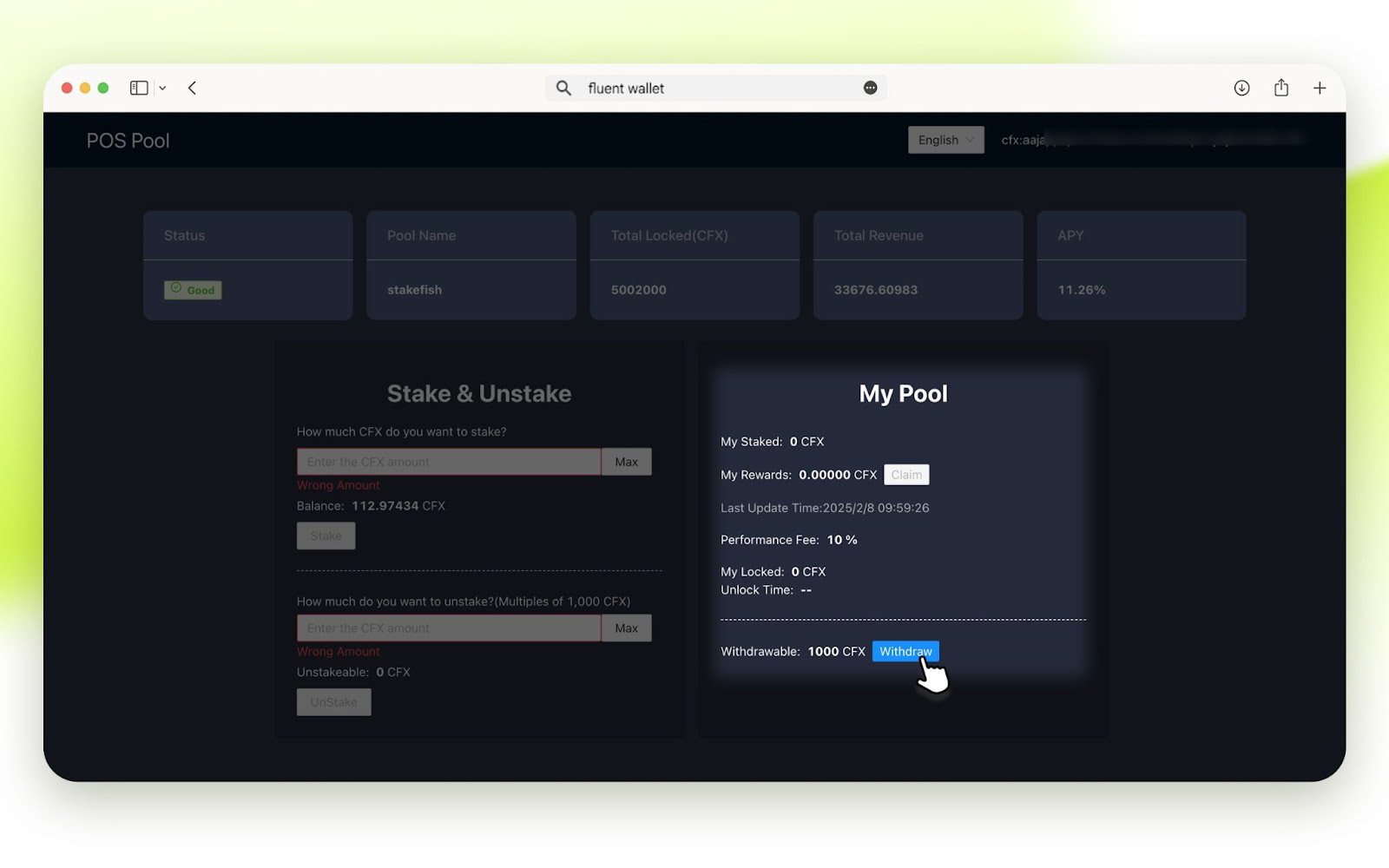
Once the unstaking process is complete, the balance will be available for withdrawal. You can click Withdraw and follow the steps to transfer it to your wallet later.
eSpace staking guide
Prepare your wallet
Install your Fluent Wallet by following the instructions at the beginning of the Core Space staking guide in this article. Fluent Wallet already supports the eSpace, you do not need to add it manually.
You will need to Add the Conflux eSpace to your wallet if using MetaMask, OKX Wallet, Keplr or other wallet apps. Visit chainlist.org, search for “Conflux”, connect wallet, and add the Conflux eSpace.
Stake CFX
We will use Fluent Wallet as an example.
- Visit stakefish Conflux staking page, and click ESPACE STAKING.
- Click CONNECT WALLET or CONNECT ESPACE WALLET.
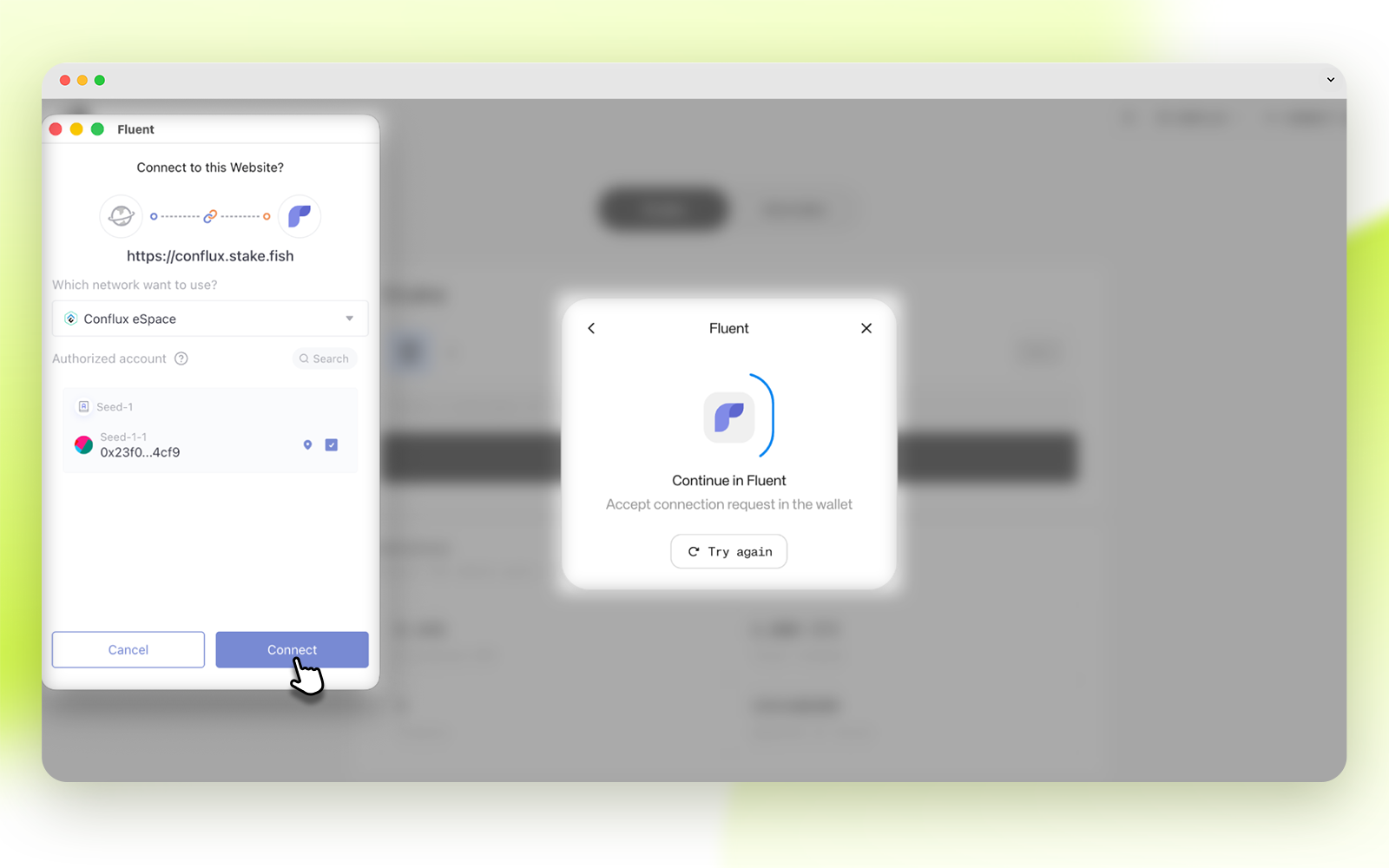
- Select Fluent. Then click Connect in your wallet to approve.
- Enter the amount you wish to stake. One PoS vote is 1,000 CFX, users can only stake multiples of 1,000.
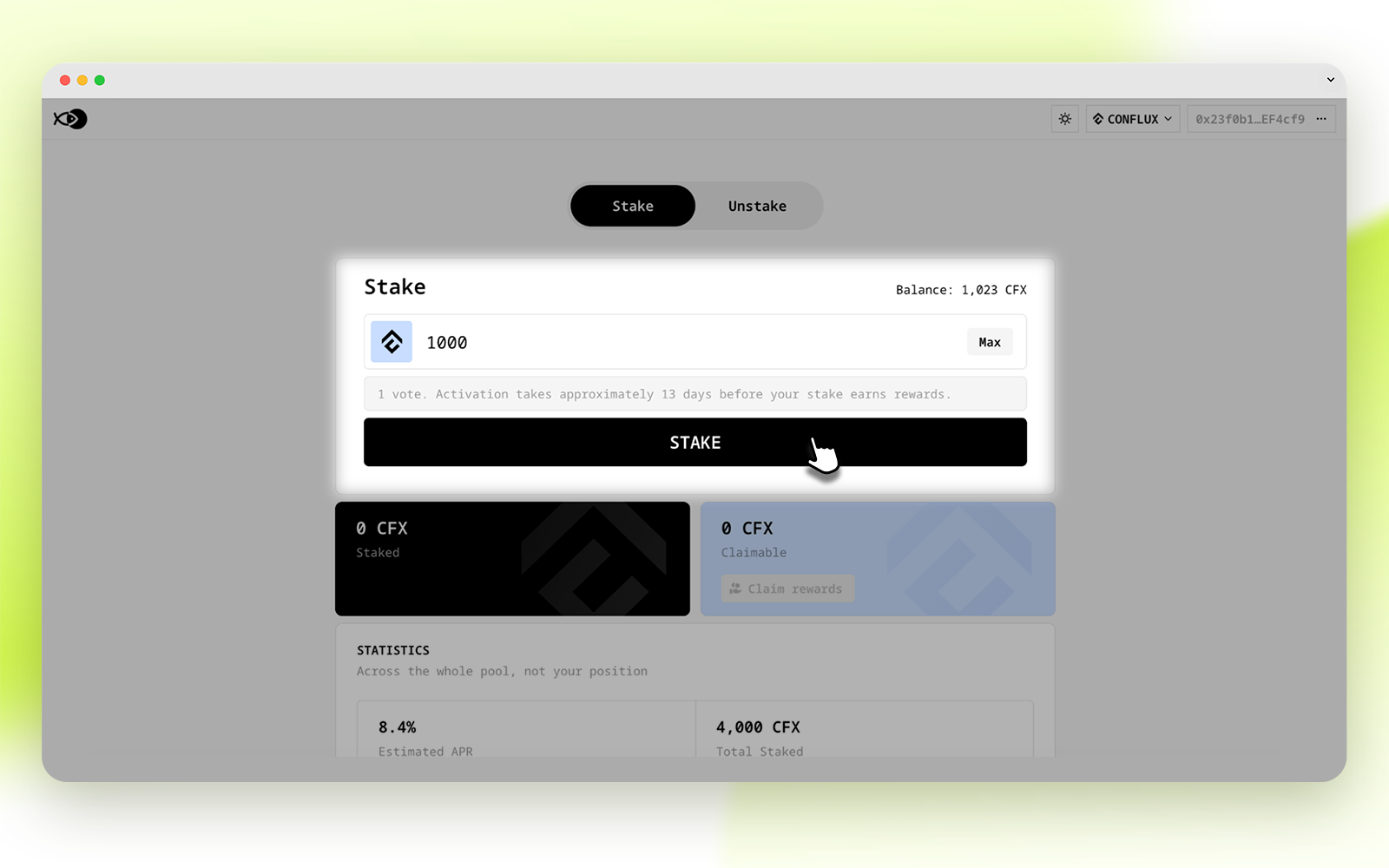
💡 Tip: Please do not stake all your funds. You need to maintain a free balance in your wallet to cover network gas fees.
- Review the staking information and click CONFIRM.
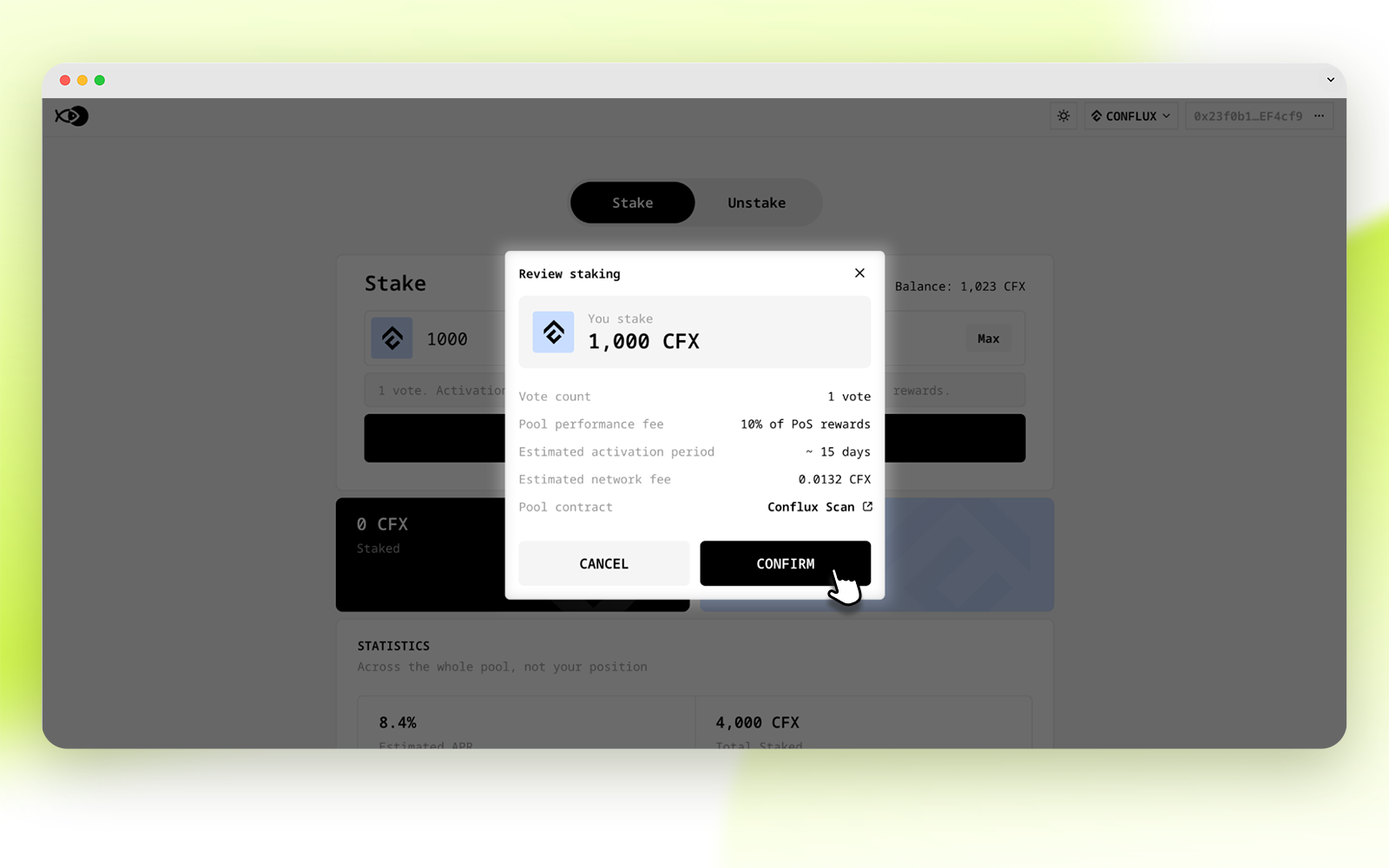
- Click Confirm in your wallet.
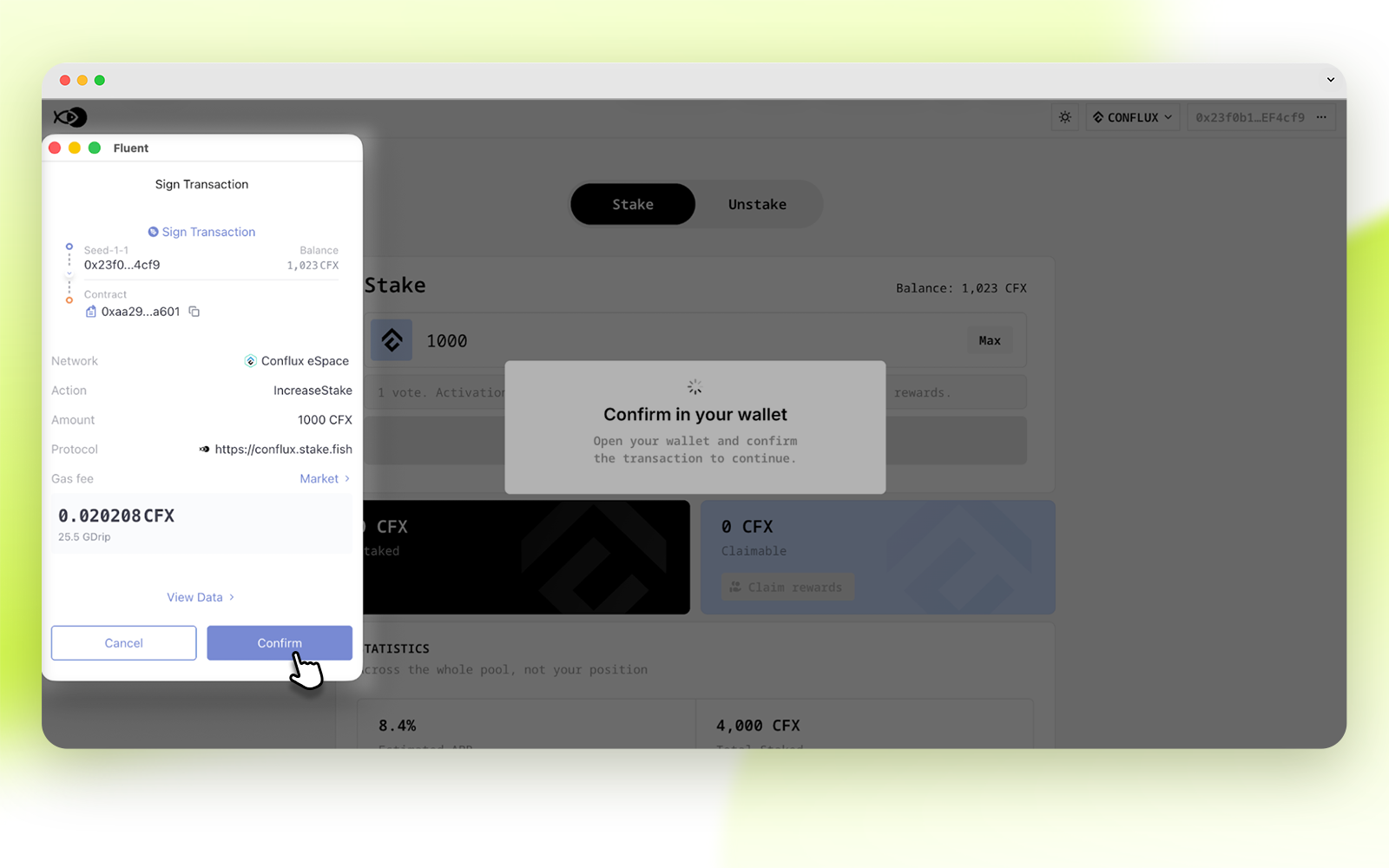
The transaction is confirmed after a few seconds.
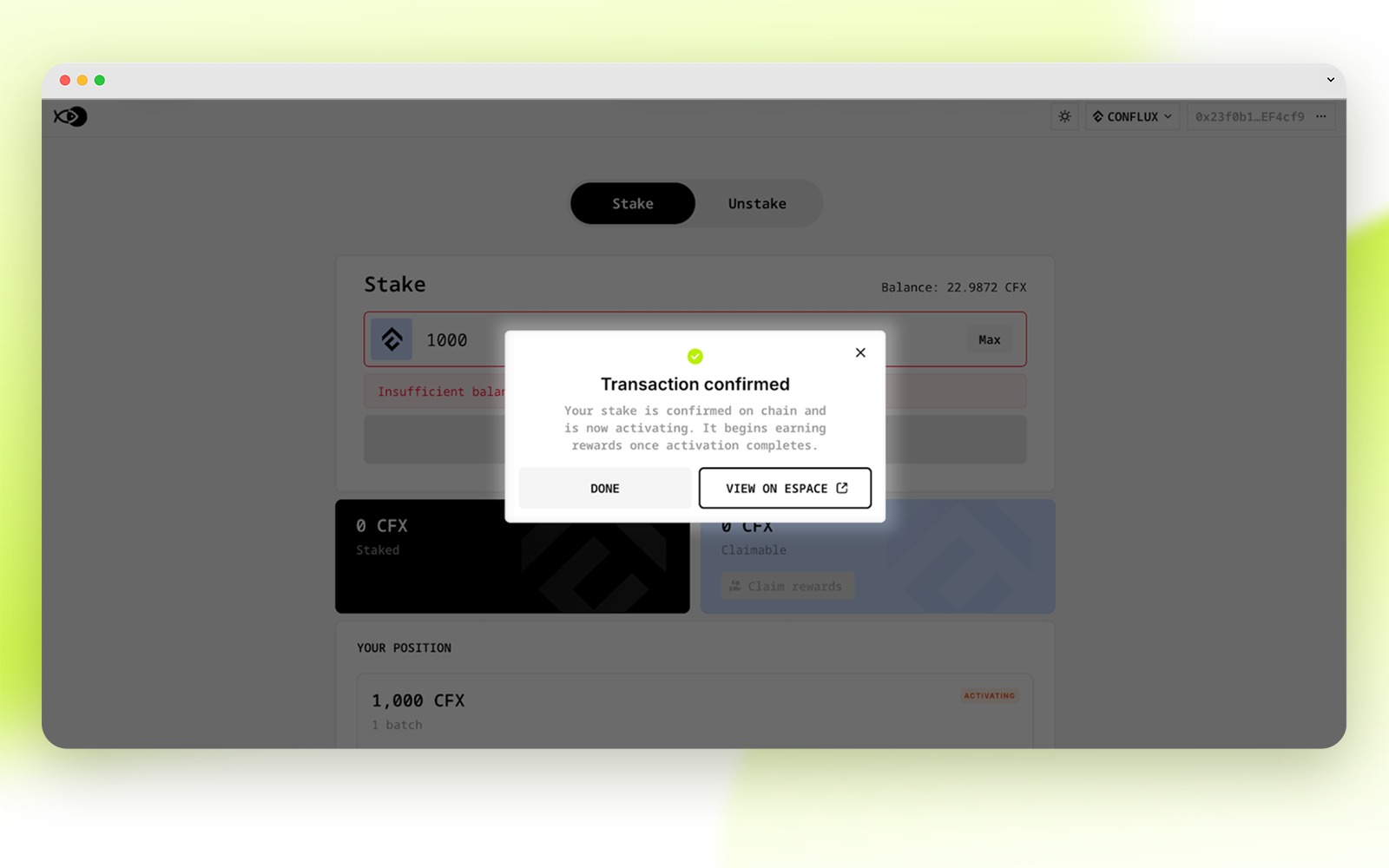
After staking CFX, there is a lock-up period of approximately 13 days, during which the status is displayed as ACTIVATING. Status changes to STAKED after the lock-up period ends.
View rewards
You will see the staking rewards in about half an hour.
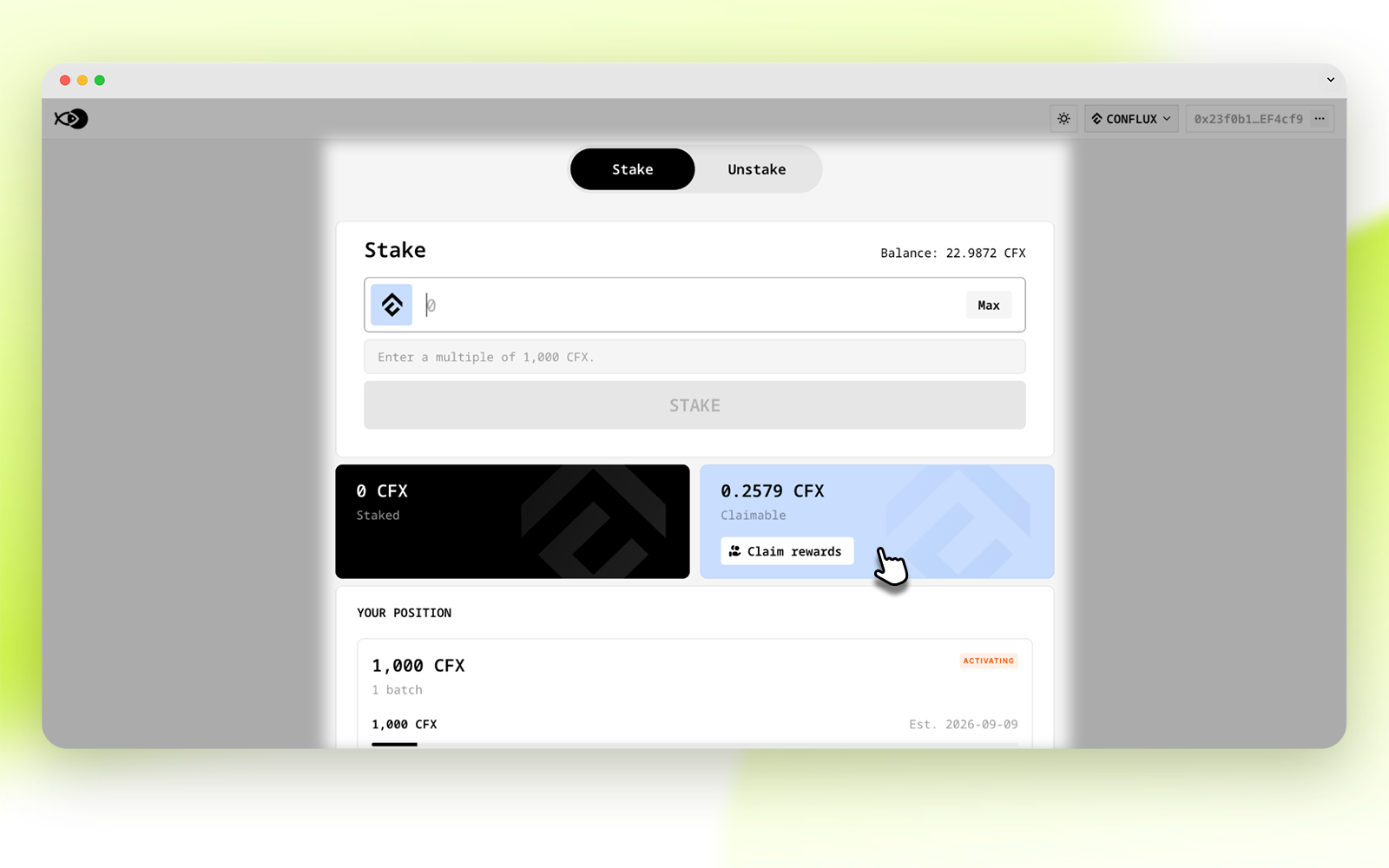
💡 Tip: Claiming rewards incurs a transaction fee, so it is not recommended to claim rewards too frequently.
Unstaking
- Visit conflux.stake.fish, click CONNECT WALLET or CONNECT ESPACE WALLET.
- Choose your wallet and sign the connection message.
- Enter the amount (multiples of 1000) of CFX you want to unstake.
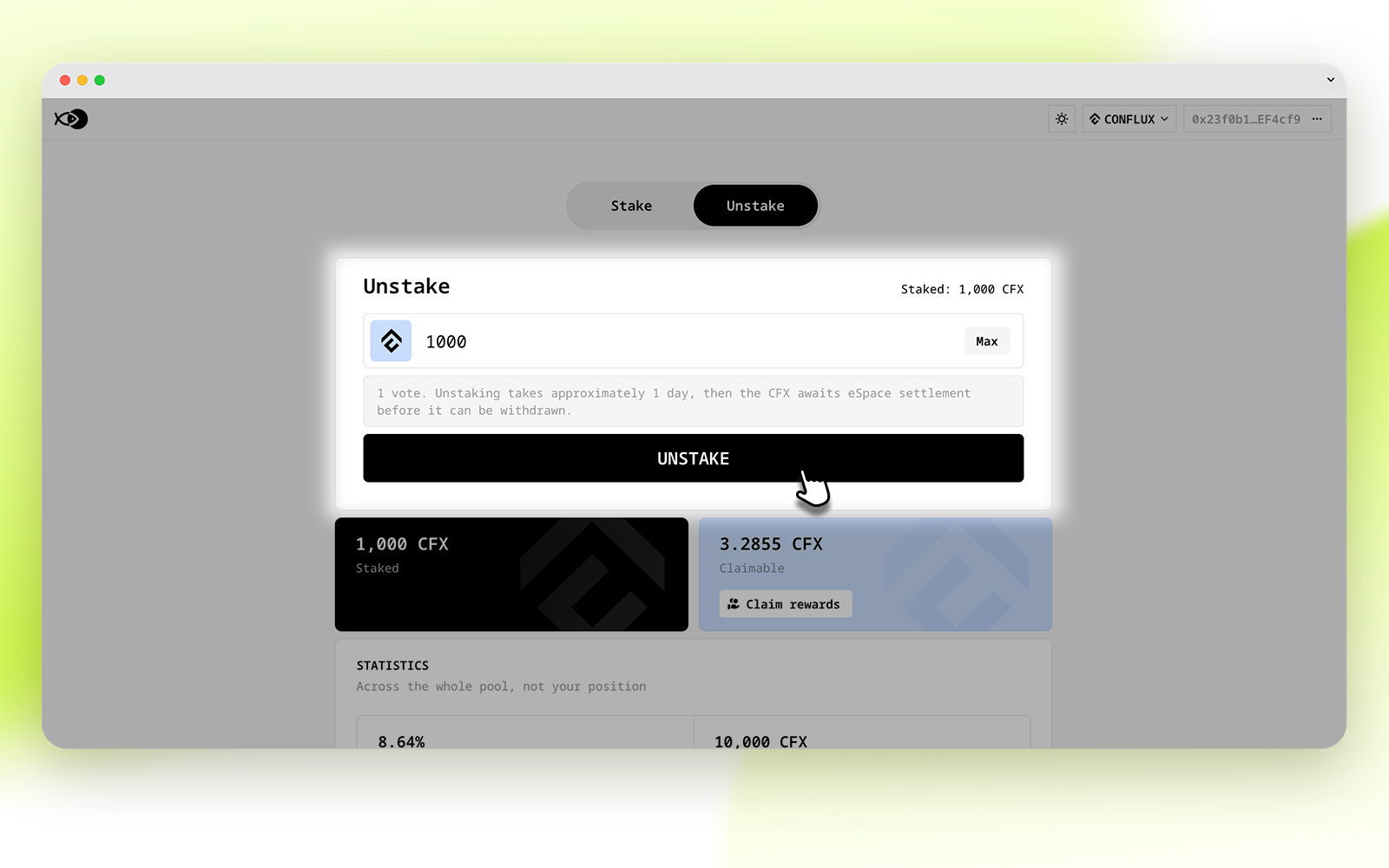
4. Click UNSTAKE and confirm the transaction in the wallet.
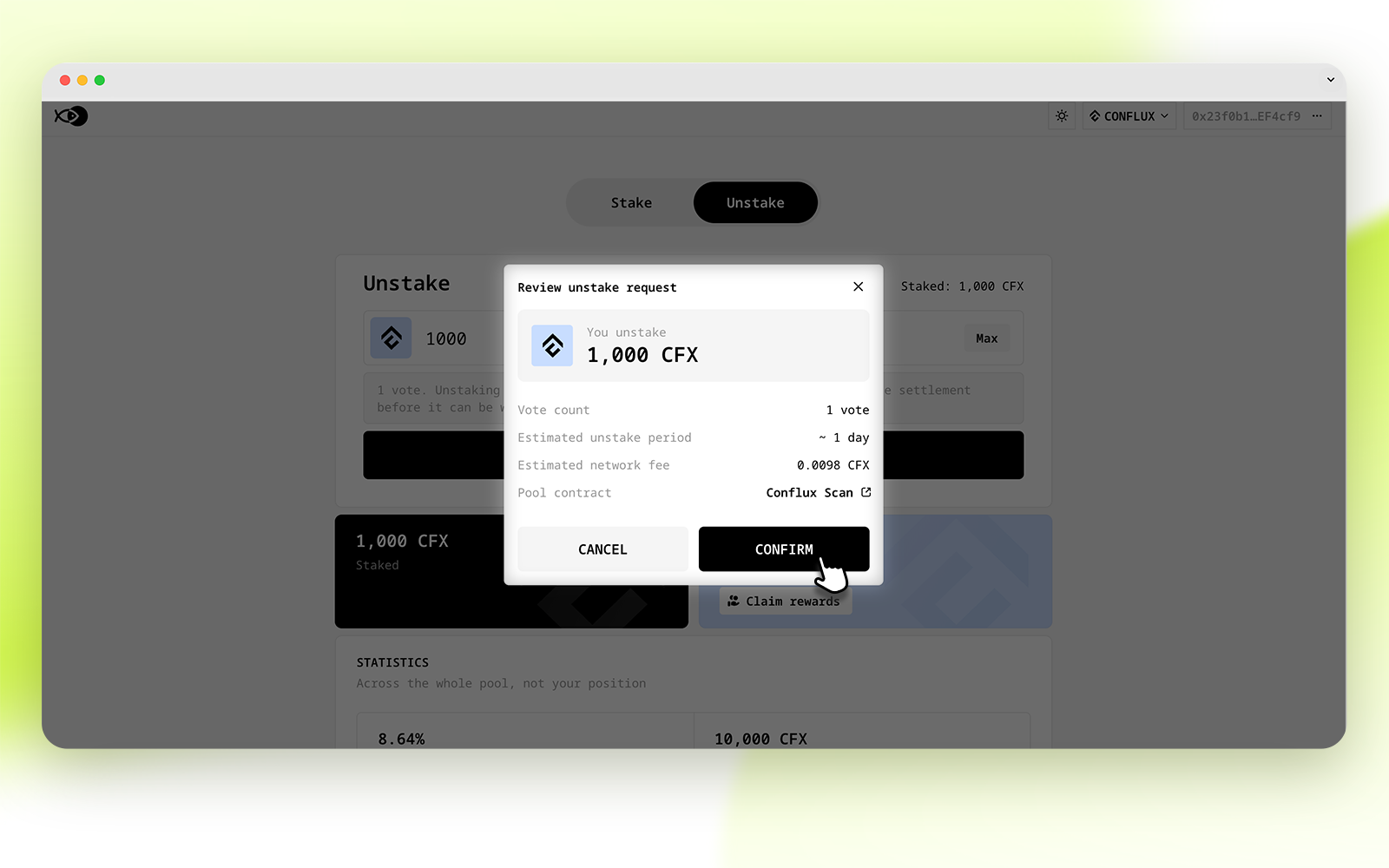
Once the unstaking transaction is confirmed, the status will change to UNSTAKING, which will last for 1 day.
After that day, status becomes unstaked, and you can then withdraw to return CFX to your wallet.
For updates and special announcements, follow our Twitter (@stakefish 🐠) and join our community on Telegram.
About stakefish
stakefish is the leading validator for Proof of Stake blockchains. With support for 20+ networks, our mission is to secure and contribute to this exciting new ecosystem while enabling our users to stake confidently.
Visit our website 🐠 | Telegram | Twitter | Instagram | YouTube | LinkedIn | Reddit