How to stake MON (Monad) with stakefish
Introduction
stakefish is a leading staking service provider in the blockchain industry, dedicated to offering secure, stable, and efficient staking solutions since 2018. stakefish now supports Monad staking services.
Monad is a next-generation, Ethereum-compatible chain delivering 10,000 TPS, sub-second finality, low fees, and scalable decentralization. For more information, please refer to their official documents.
By delegating MON, you help secure the Monad network. You get part of the rewards provided by the protocol for this assistance. If you plan to hold onto MON for some time, delegating will help you accumulate more MON while contributing to the network's health.
In this guide, you will find how to:
Step 1: Prepare your wallet
OKX Wallet, Metamask, Phantom, or other supported wallets could be used for MON staking.
Use OKX Wallet as an example:
Visit Chrome Web Store, and add the OKX Wallet extension to your Google Chrome. Follow the standard steps to create a wallet and ensure your MON balance is topped up. If you already have one, select “Import wallet”.
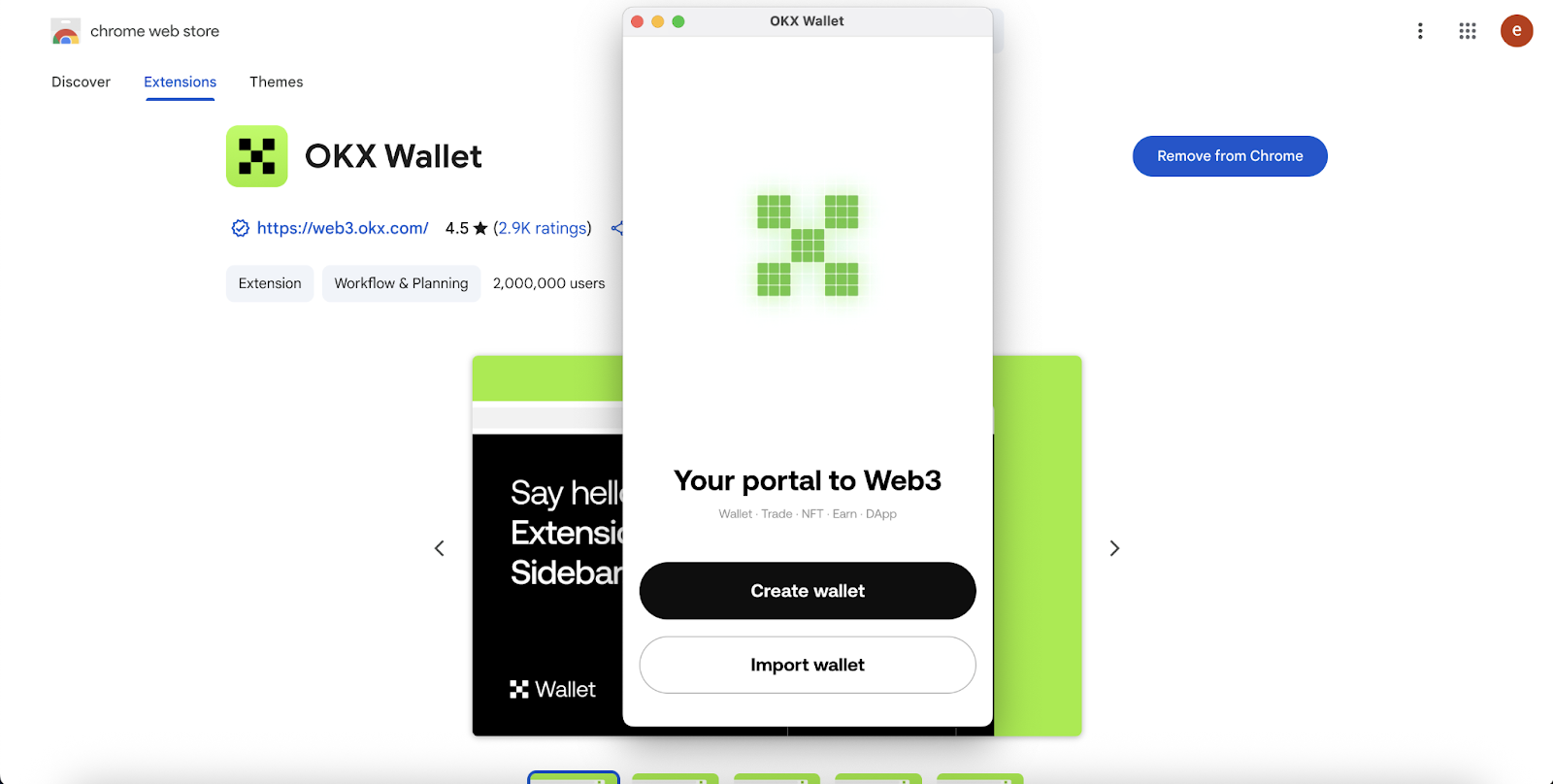
Note: A small amount of MON is required for gas fees for token transactions and transaction confirmations.
Step 2: Stake MON
1. Visit monadvision.com , click “CONNECT WALLET”.
2. Select “OKX wallet”. Then click “Connect” in your wallet to approve.
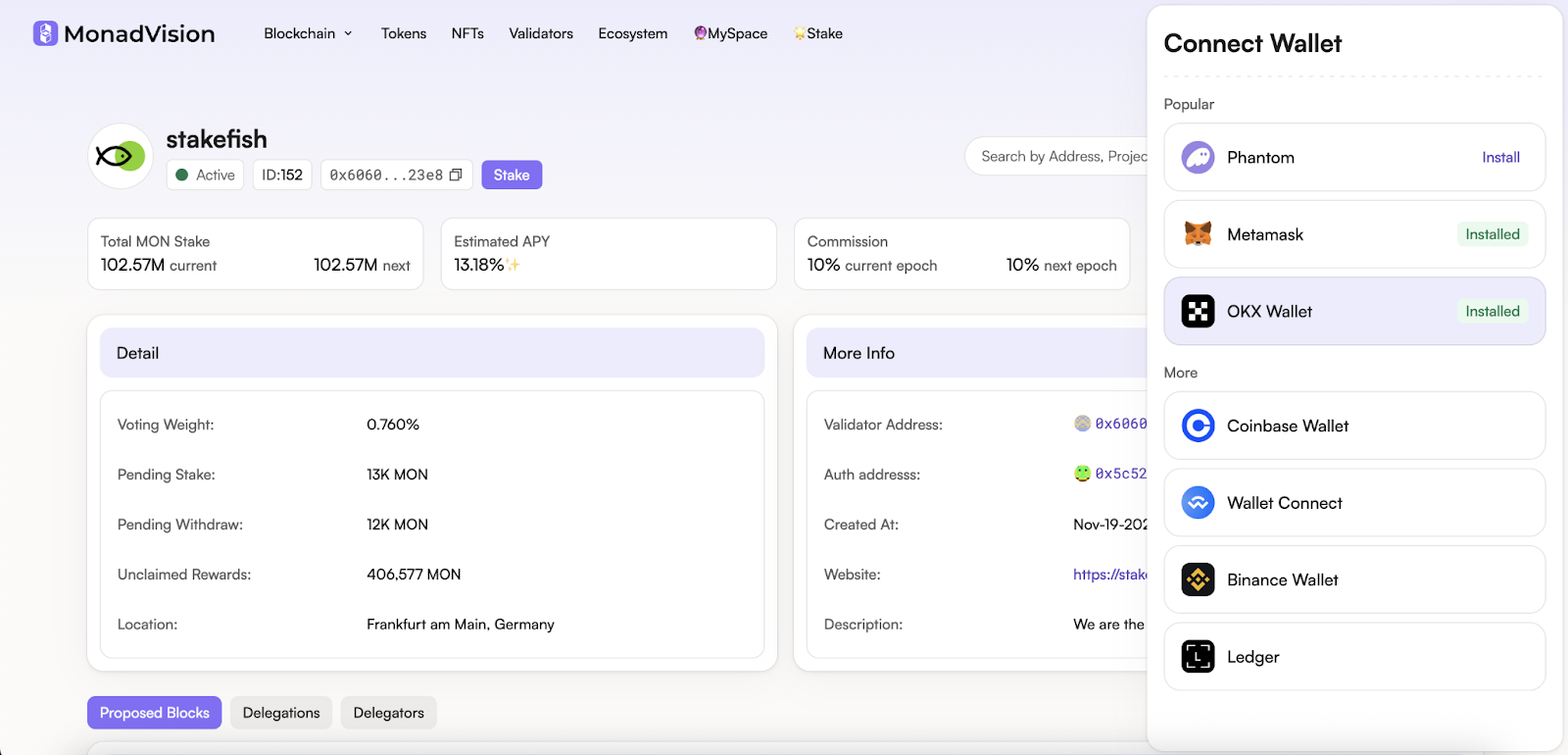
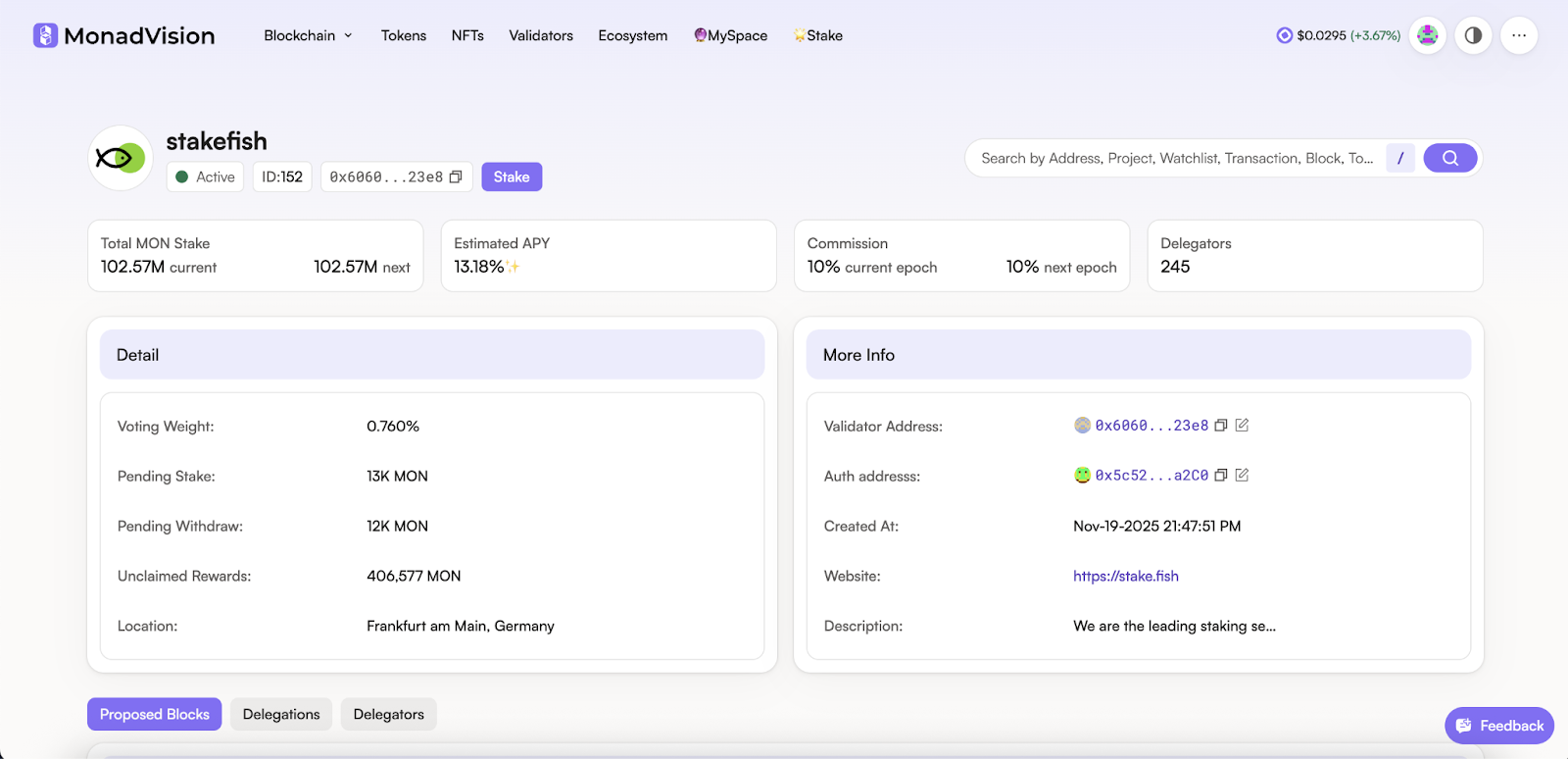
3. Search for “stakefish” and select. Or you can simply visit this link. Click “Stake”.
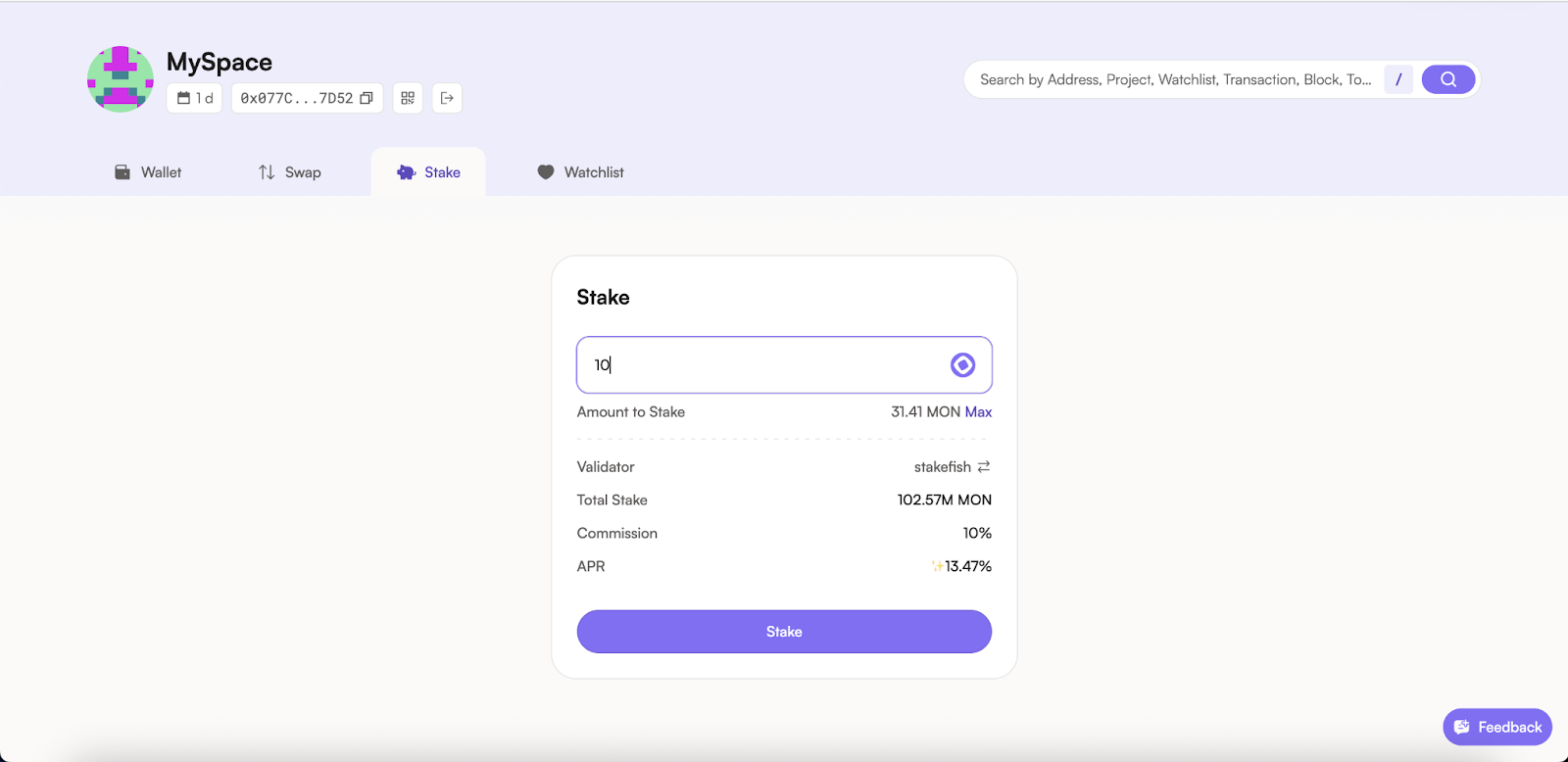
4. Enter the amount you wish to stake.
Please do not stake all your funds; you need a free balance to pay gas fees.
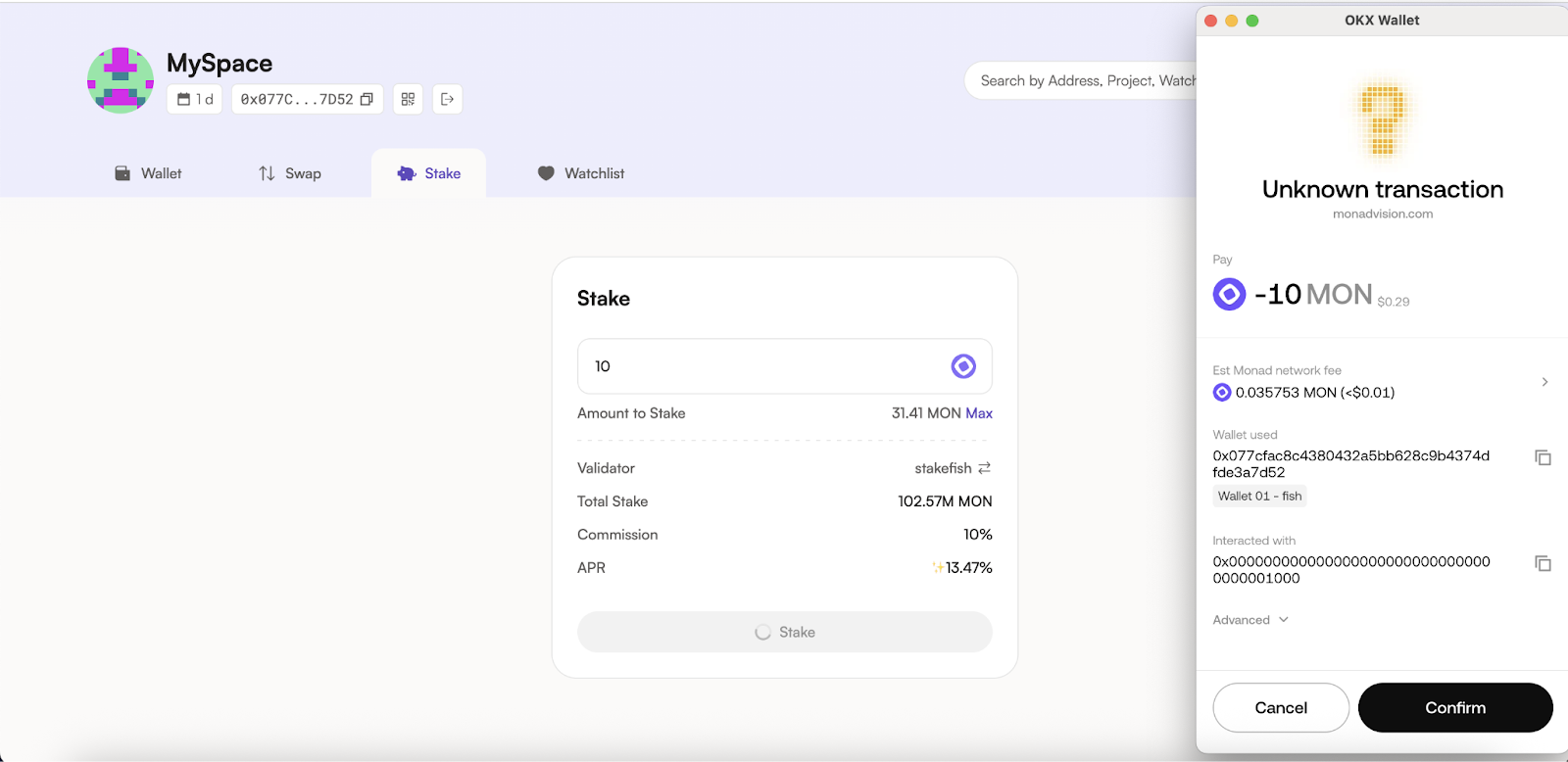
5. Confirm in your wallet.
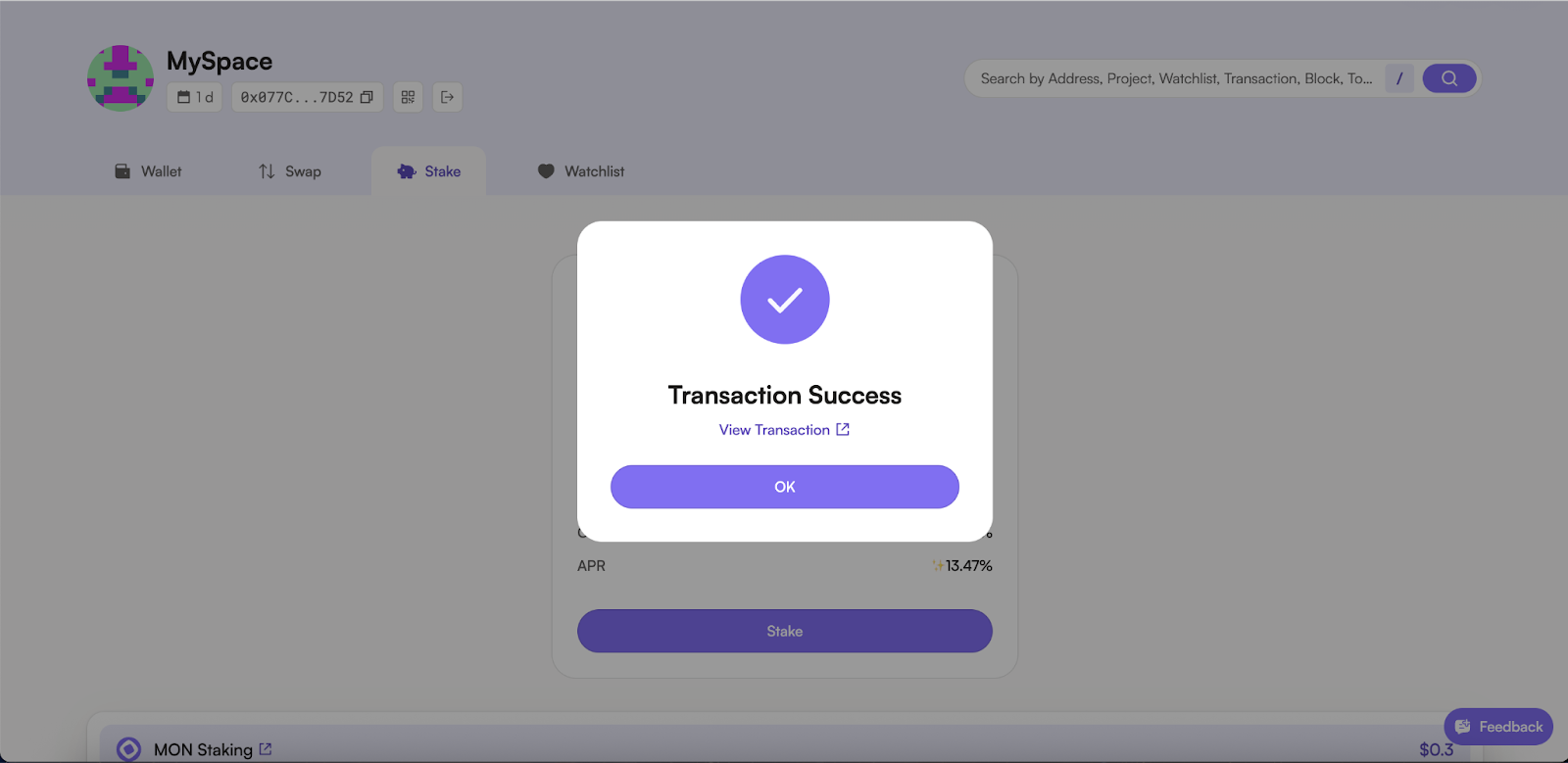
6. Now you are staking with stakefish. And your MON stake will start generating staking rewards.
Step 3: View rewards
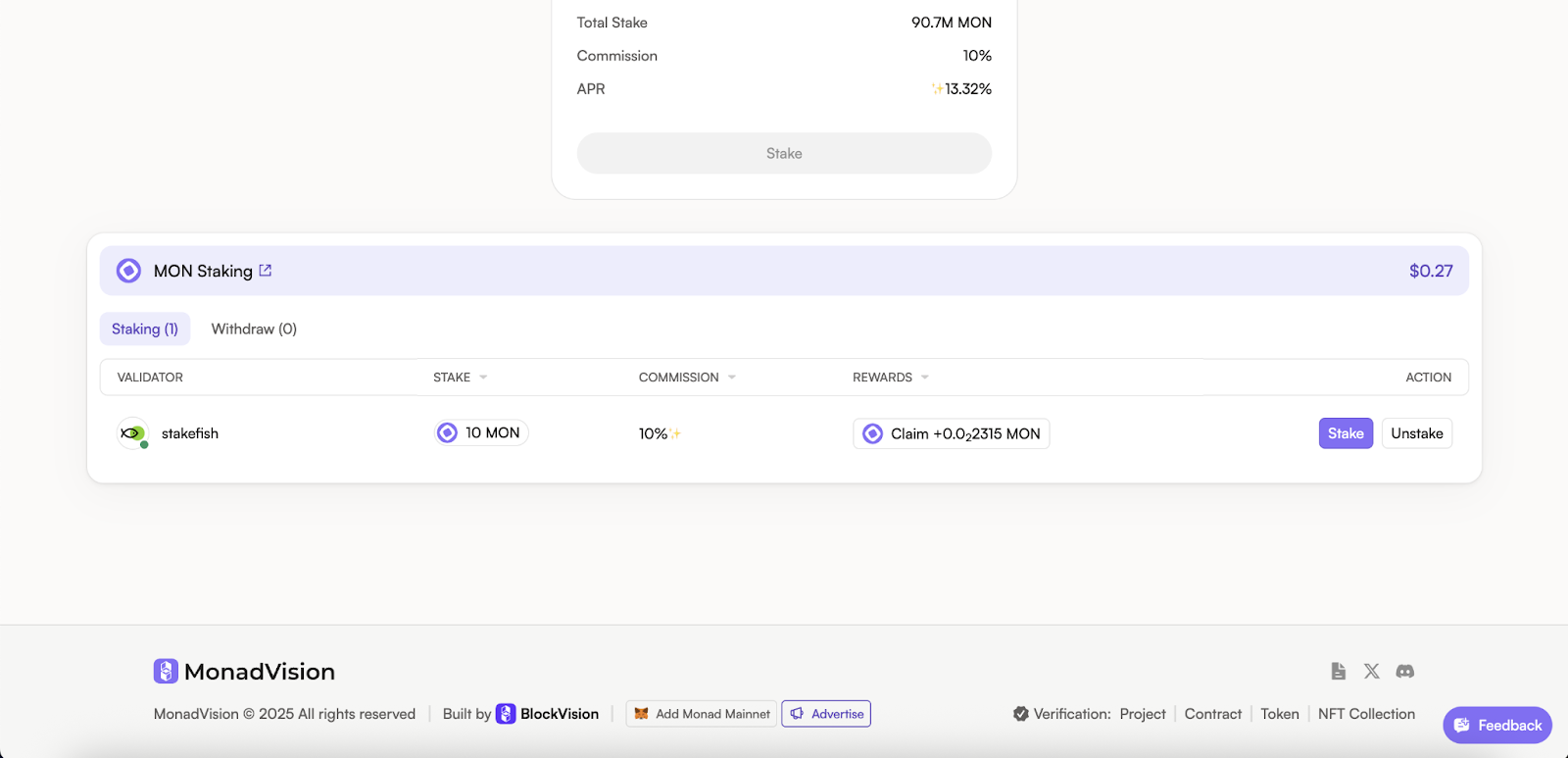
Visit monadvision.com,go to the “Stake" or “My space” page, scroll down to the bottom, and you can view the rewards earned.
Your delegation will become active after one epoch, which is approximately 5 hours. Rewards are distributed every epoch.
Claiming costs a small amount of transaction fee, so it is not recommended to claim frequently.
Step 4: Unstake MON
1. Visit monadvision.com,go to the “Stake" or “My space” page, scroll down to the bottom and you can see the unstake option.
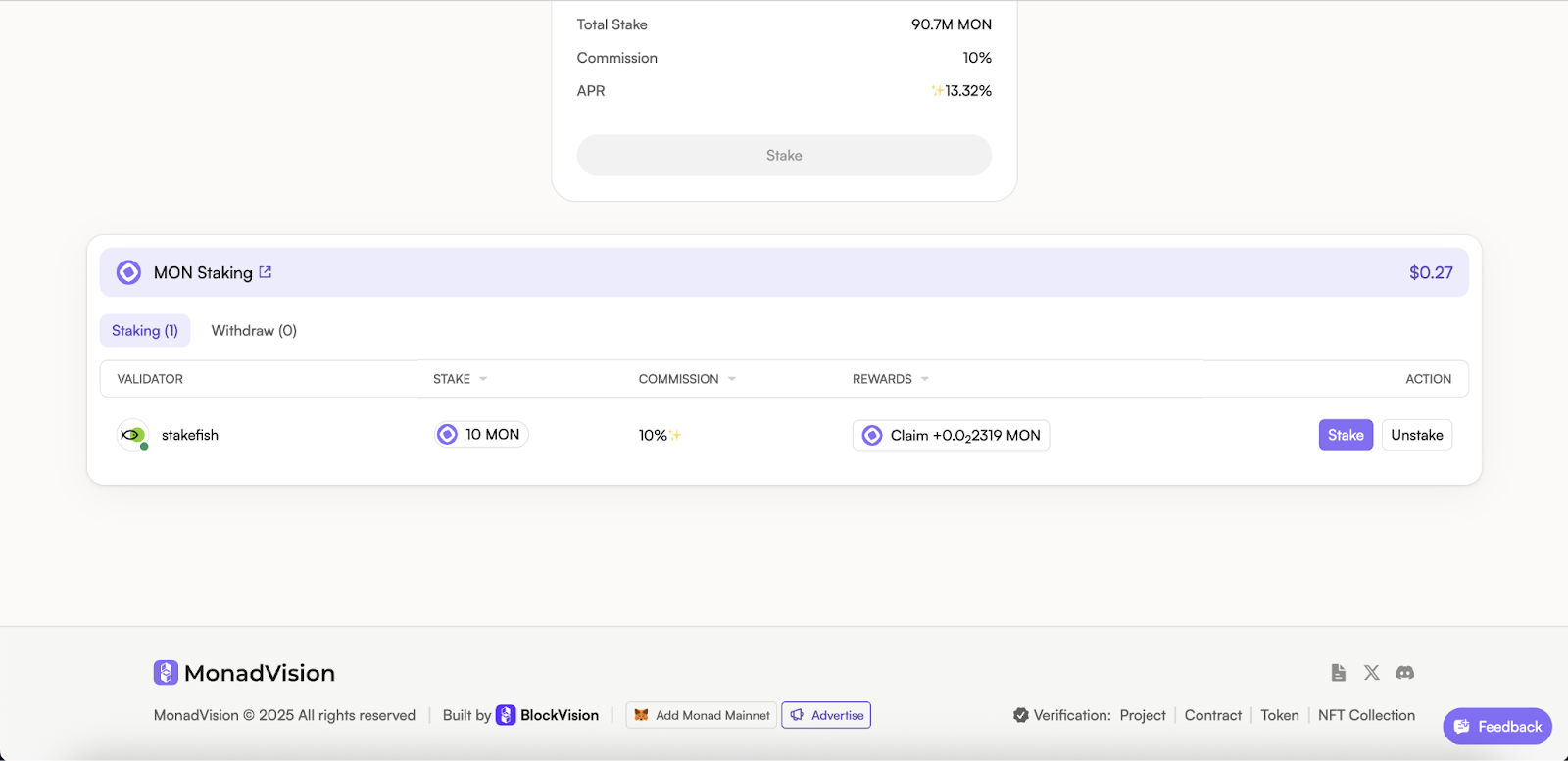
2. Click the “Unstake” button.
3. Enter the amount (partially unstaking is supported) you would like to unstake and click “Unstake” button.
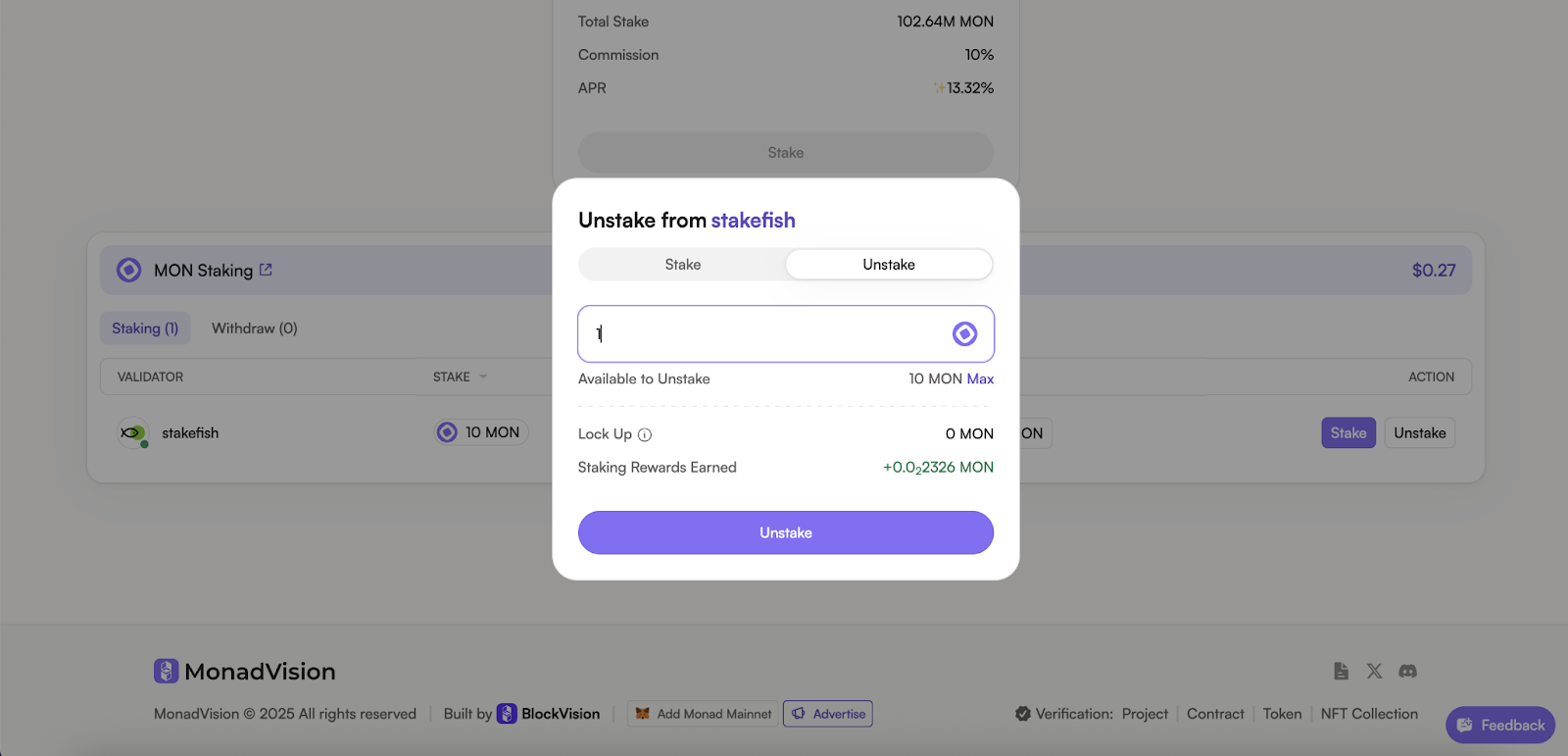
4. Confirm in your wallet.
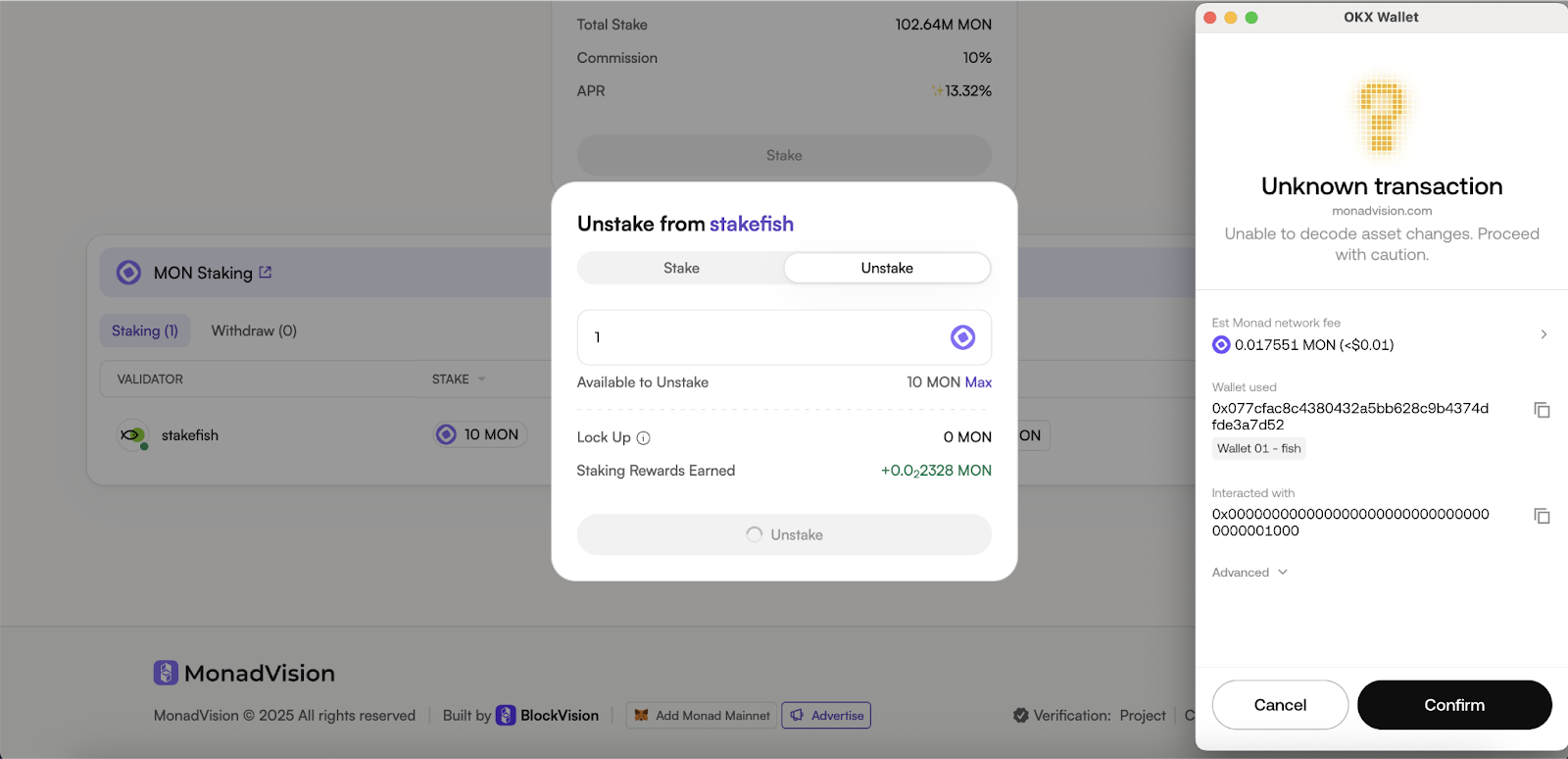
5. Now your tokens are unstaked.
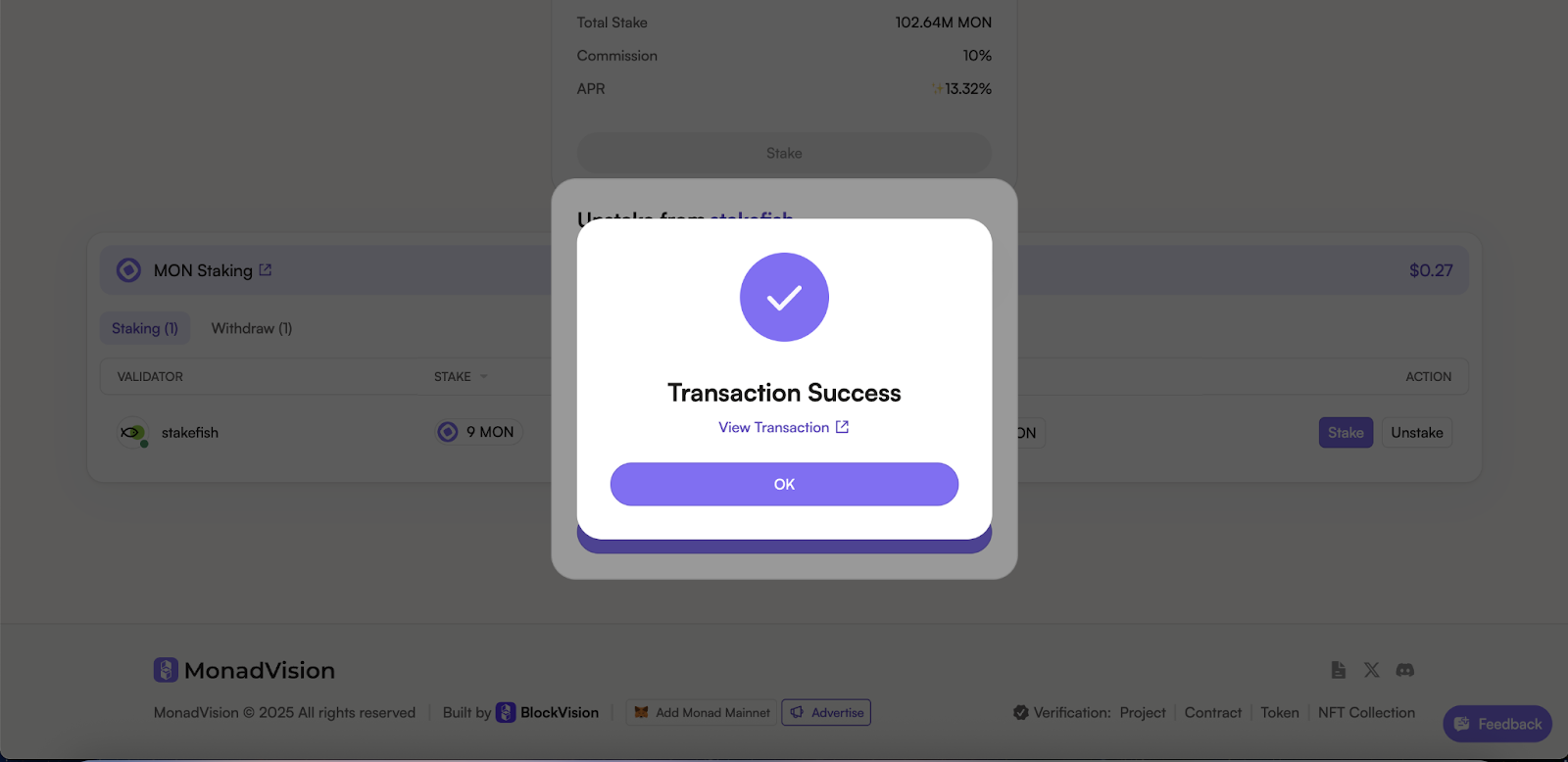
Note:
There is a lock-up period before you can unstake.
New delegations made in epoch n become active at the start of epoch n+1 (if submitted before the boundary block) or epoch n+2 (if not).
Conclusion
Staking MON with stakefish ensures reliable rewards, low commission rates, and robust network security—ideal for both new and experienced delegators.
Stake confidently with stakefish.
Start here → stake.fish/networks/monad
About stakefish
Founded in 2018 by Ethereum and Bitcoin veterans, stakefish is the leading validator for Proof of Stake blockchains. With support for 20+ networks, we combine institutional‑grade infrastructure with intuitive dashboards, transparent reporting, and a spotless slashing record so individuals and institutions alike can stake confidently while strengthening decentralized networks.
Visit our website 🐠 | Telegram | X | Instagram | YouTube | LinkedIn | Reddit